Keep Cosplay Props Consistent Between Video Takes
The wrist prop is on the left arm in the wide shot and the right arm in the close-up. The chest light is on before the cut and off afterward. Small changes like these can pull attention away from a cosplay video's story, even when each individual shot looks good.
Continuity is simply a record of what must stay the same between related moments. A few reference photos and a short note can save you from discovering the mismatch after the costume has been packed away.
Track the state, not just the object
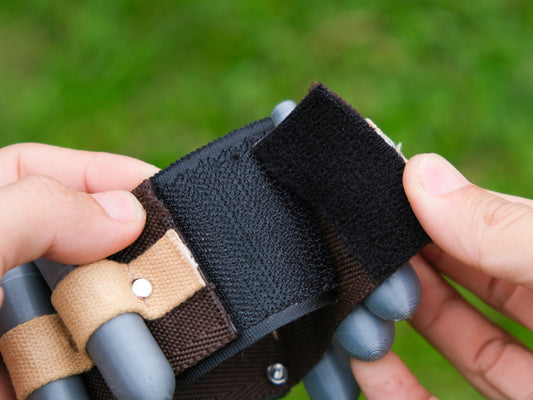
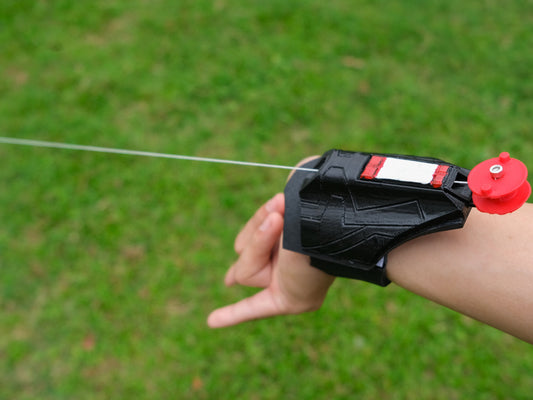
Writing “web shooter present” is less useful than recording its position and orientation. Which wrist is it on? Where does the strap close? Is the sleeve above or below the shell? Is a visible line present in the frame, and if so, how is it arranged?
For a chest-light prop, record the face pattern, light state, visible clothing layers, and where the outer garment sits. You do not need to measure every fold, but the details that appear near the edit should be repeatable.
Make a compact continuity card
| Field | Example note |
|---|---|
| Scene and take | Desk scene, take 3 |
| Prop | Dark wrist shell, left arm |
| Orientation | Red detail toward camera |
| Clothing relationship | Sleeve ends behind the prop |
| State | Inactive; no launch performed |
| Reference image | Front and side photos after take 3 |
Use descriptions that another person could follow. “Looks right” depends on memory. “Sleeve seam aligned with the outside of the forearm” gives you a visible reference.

Take reference photos at the right time
Photograph the costume immediately after a take you intend to use, before adjusting anything. Capture a full view and the relevant close detail. If the performer needs a break, the photos let you restore the setup without asking them to remember how every piece sat.
Keep the camera and subject orientation clear. A mirrored selfie can confuse left and right. Label the body side in the note rather than relying only on how the preview appears on a phone screen.
Distinguish deliberate changes from mistakes
A story may require the character to activate a light, remove a jacket, or pick up an object. Record the moment when that change happens. Shots before the action need one state; shots after it need the new state.
Think of the scene as a sequence, even if you film it out of order. A simple “before reveal” and “after reveal” label can prevent you from restoring the wrong version for a later close-up.
Check continuity before changing the setup
Before moving the camera or ending the session, compare adjacent shots. Look at the prop, the nearby clothing, and the performer's hand position. Fix a mismatch while the outfit and lighting are still available.
Record a short extra view of the prop or the character's reaction when it genuinely supports the scene. That shot may provide a natural edit point, but it should not be used to misrepresent a product demonstration or hide a relevant performance issue.
Keep the record lightweight
You do not need a large production binder for a twenty-second video. One folder, a clear scene name, and a few reference photos are enough. The record should make filming easier, not become a separate project that nobody updates.
After editing, note which continuity details caused trouble. The next time you use the same outfit, you can record those first. This turns a frustrating reshoot into a practical improvement in your workflow.
Use this method with the one-cut transition or five-shot superhero scene. For design reference, the web shooter collection provides distinct shapes that benefit from clear orientation notes.