Film a Web Shooter Cosplay Transition with One Clean Cut
A clean cosplay transition can be as simple as an ordinary sleeve becoming a finished superhero outfit. The effect comes from matching two shots closely enough that the viewer understands the change immediately. You do not need to throw a prop, jump toward the camera, or launch anything.
This version uses a fixed camera and a hand moving briefly across the lens. The hand creates a natural place to hide the edit. Your web shooter appears in the second outfit, already positioned for the reveal.
Decide what changes and what stays fixed
Write down the transformation in one sentence: “The same person, in the same place, changes from everyday clothes into a hero-inspired outfit.” Keep the camera height, framing, background, and direction of light as consistent as possible. Those stable elements make the clothing change easier to read.
Use a secure phone support or tripod and mark where your feet belong. Frame enough space for the full movement, including the wrist accessory. A very tight shot can accidentally cut off the detail you are trying to reveal.
Record the first half with a repeatable movement
Start in the ordinary outfit. Look toward the camera, raise a hand at a comfortable speed, and bring it close enough to fill the frame without hitting the lens. Hold the covered position briefly. That gives you several possible cut points rather than a single rushed frame.
Make a reference image of your final position. Note which hand covers the lens, which direction the fingers point, and where your shoulders sit. If you change all three between takes, the viewer may notice the jump before noticing the costume.

Record the reveal from the same position
Change into the costume and fit the prop using its intended attachment. Return to the marked position. Start with the same hand covering the frame, then move it away and settle into a natural finish. Keep the prop inactive throughout the take.
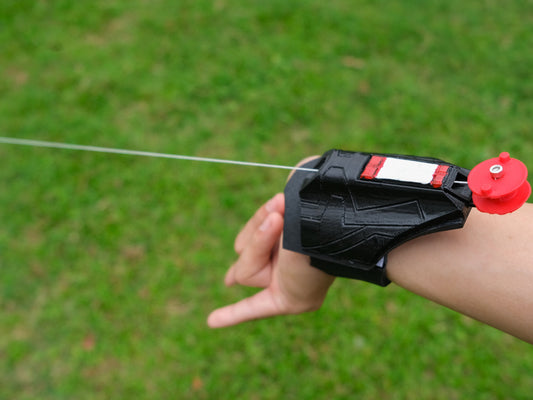
The end of the movement should give viewers a clear view of the accessory. Hold that final composition long enough to see it. If the hand moves out of frame and the prop is immediately hidden by your torso, adjust the ending before making more takes.
Make the edit at the most hidden moment
Place the two clips next to each other in your editor. Find the frames where the hand covers most of the picture. Cut the first clip at that point and start the second while the frame is similarly covered. Play the sequence at normal speed before adding anything else.
If the edit feels abrupt, compare hand position and brightness first. A mismatched background or camera shift usually matters more than adding a transition effect. Try a different pair of frames before reshooting the entire idea.
Fix the most common continuity problems
- The body jumps sideways: recheck the foot mark and shoulder angle.
- The room changes color: avoid changing lamps or moving between very different daylight conditions.
- The accessory is hard to see: simplify the ending and hold it longer.
- The hand becomes a blur: slow the covering movement and record another take.
Add a brief caption that names the change, such as “Off-duty to event-ready.” Use audio you are allowed to use. An effect sound can emphasize the cut, but the transformation should remain understandable with the sound muted.
Show the trick without overstating the prop
This is a costume edit, not evidence of a device's performance. If you show an extended line or add visual effects, make that staging clear. Viewers should not confuse a transition with an unedited product demonstration.
Choose a visible silhouette from the web shooter collection, and use the continuity checklist if you are building several shots around the same outfit.