How to Measure Your Wrist for a Cosplay Web Shooter
By the WebShooter Team
Measure your wrist while wearing the glove or sleeve that will sit beneath the prop. Then compare that measurement with the confirmed adjustable circumference of the strap. A strap's width and a photograph of someone else's wrist cannot establish the fit for your costume.
This guide explains what to measure before buying a cosplay web shooter and what to check during a first fitting. It is a measurement checklist, not a claim that every model fits every wrist.
Measure the clothing layer and your wrist together
- Put on the intended base layer. Use the actual glove, cuff, or sleeve where possible. Include any seam that will sit under the strap.
- Choose the wearing position. Look at the product's wrist photos and mark the position where you expect the strap to sit.
- Wrap a flexible tape around that position. Keep the tape flat against the clothing without compressing it.
- Read and record the circumference. Note whether the measurement is over a glove, a sleeve, or bare skin.
- Measure once more. A second reading helps catch a twisted tape or a changed position.
If you do not have a flexible tape, wrap a strip of paper around the same position, mark where the ends meet, and measure between the marks with a ruler. Do not use a stretchy material for this method.

Separate the three measurements that matter
| Measurement | What it tells you | What it does not tell you |
|---|---|---|
| Wrist circumference over clothing | The distance the strap must go around. | Whether the casing clears your hand. |
| Strap width | How wide the strap band is. | The minimum or maximum wrist it fits. |
| Casing length, width, and depth | The space the body occupies. | How the strap adjusts. |
For example, a listed 22 mm strap width is not a 22 mm wrist-size limit. Our current listings state 40 mm strap width for Scarlet and 22 mm for PS4, Stark, TMSA1, and TMSA2. Ask for the actual adjustment range if it is not provided on the product page.
Check casing clearance at the hand and sleeve
A strap can close while the casing still sits in an awkward position. Compare the body's outline with the space between your palm and sleeve. A thick seam, glove tab, or decorative cuff can change how the prop rests.
If the seller supplies casing dimensions, make a flat paper outline to compare with your outfit before ordering. This helps you judge the footprint, but it cannot reproduce the body's thickness or how it feels when worn. Keep that limitation in mind when using a template.
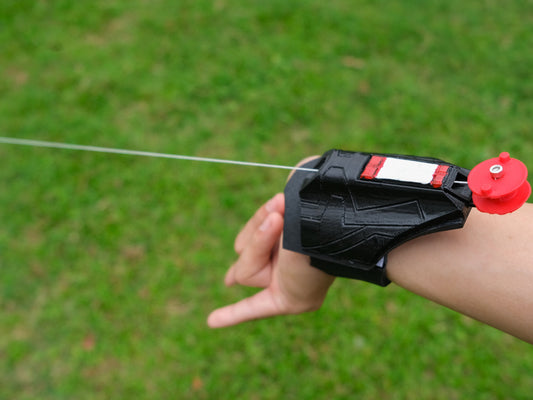
The web shooter style comparison shows how the shapes differ. Scarlet's cartridge-like details create a different outline from the angular Stark shell or the circular centerpiece of TMSA1.

Run a short first-fitting check
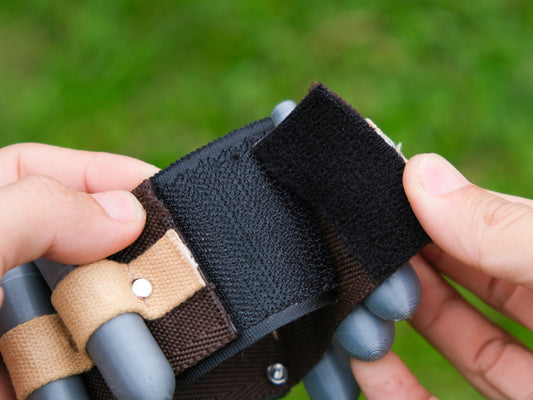
- Fasten the strap using the supplied method and check that it lies flat.
- Open and close your hand naturally, then move into the poses you expect to use.
- Check whether the casing presses against the hand or catches the sleeve.
- Look at the prop from the front, side, and camera angle you intend to use.
- Remove and refit it once so you know how to repeat the position.
The strap should not cause discomfort or restrict normal movement. Stop and adjust or remove the prop if it does. Do not force the casing into a position or permanently alter the strap to solve an uncertain fit; ask for model-specific guidance first.
What to include when asking about size
A useful fit question names the exact model and describes the clothing layer. For example: “I am considering the Stark design. My wrist measures ___ inches around over my costume glove. What circumference range does its strap adjust to, and what are the casing dimensions?”
You can provide either inches or centimeters as long as you label the unit. A full-body photo or personal details are not necessary to explain a basic strap-size question. If a photo is needed to show a sleeve seam, a close-up of the relevant area is enough.
Buying a pair? Measure both sides
Gloves and costume cuffs may have different closures on each side. Check both wearing positions rather than assuming a single measurement covers the complete outfit. Also confirm that the selected purchase option includes the quantity you want; a gallery photo showing two props does not determine the order contents.
Next step: choose a web shooter design, then confirm its adjustment range and dimensions. Once the fit is settled, our beginner cosplay posing guide helps plan static photos that show the accessory clearly.