Make a Quiet Cosplay Prop ASMR Video with Everyday Sounds
A quiet cosplay prop video can focus on small sounds that usually disappear beneath music: a cardboard sleeve sliding open, fabric moving over a table, or a strap being handled carefully. The appeal comes from hearing an ordinary action clearly, with enough time to notice its texture.
Plan the sound before planning the camera movement. A visually busy scene may produce an uneven or distracting recording. Start with three simple actions and give each one its own short scene.
Choose sounds the object naturally makes
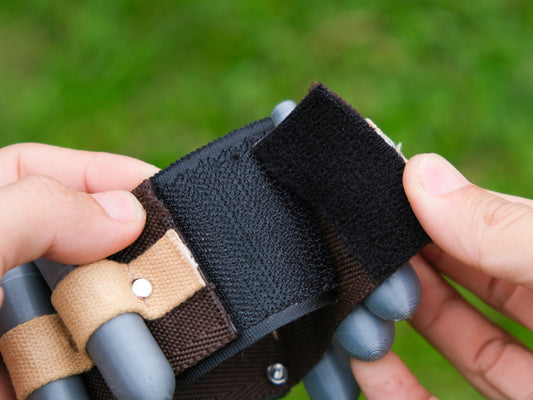
Use packaging, fabric, and gentle handling rather than trying to make the prop produce a dramatic noise. A printed shell does not need to be tapped hard, repeatedly flexed, or scraped for the microphone. Work within the item's normal handling and keep any launching mechanism inactive.
Try a soft cloth being unfolded, a cardboard insert placed on the table, and a strap laid beside the main piece. These sounds create a beginning, middle, and end without suggesting a mechanical function you have not verified.
Listen to the room first
Record a short sample before filming the complete sequence. Listen for a fan, refrigerator, traffic, clothing rustle, or a table that transmits every movement. You may not notice these while concentrating on the camera, but they can dominate a quiet recording.
Move the setup if necessary instead of trying to solve every problem later. A softer work surface can reduce accidental knocks, while a stable microphone position makes the sound more consistent. Keep the microphone out of the path of your hands.

Build a short sound storyboard
| Scene | Action | Sound focus |
|---|---|---|
| Opening | Unfold a cloth beside the prop | Soft fabric movement |
| Detail | Lift and place the item carefully | Natural handling sounds |
| Texture | Arrange a strap or packaging piece | A distinct material sound |
| Ending | Leave the finished arrangement still | A brief quiet pause |
Record each action more slowly than you normally perform it, but avoid an exaggerated pace that looks uncomfortable. Let the material finish moving before starting the next action. That makes the sounds easier to hear separately.
Keep the picture as calm as the audio
A fixed overhead or three-quarter view works well for a tabletop sequence. Frame the entire handling area so your hands do not repeatedly leave the shot. Use one uncluttered background and enough light to see the shape of the object.
If you include a lit arc reactor, decide whether the sound scene needs it on at all. A glowing detail can draw attention away from the material you are handling. The visual choice should support the particular scene, not compete with it.
Edit gently and label added sound
Listen through headphones at a comfortable level and remove sudden knocks or harsh transitions. Do not raise every quiet section until the background noise becomes louder than the intended sound. Consistency matters more than making the recording feel unusually loud.
If you add sound effects, identify the video as edited sound design rather than an unaltered recording of the product. An invented click should not become accidental evidence that a particular mechanism makes that sound.
Give the viewer a clear ending
Finish on the completed arrangement for a moment before cutting away. A quiet video does not need a shouted call to action or a sudden volume increase. A small text caption can name the object and the materials heard.
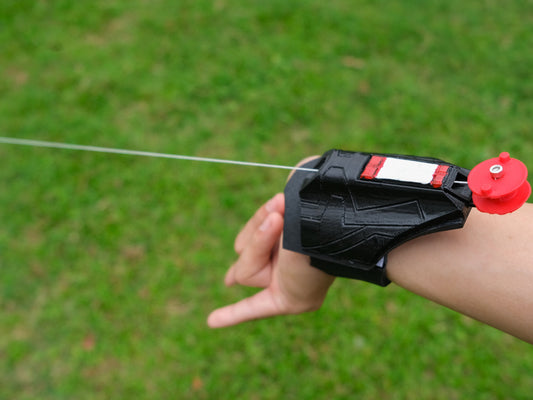
For visual references, explore web shooter props. If you would rather explain package contents aloud, the honest unboxing guide offers a different format with its own purpose.