How to Film a Useful 360-Degree Cosplay Prop Video
A 360-degree prop video answers a different question from a dramatic reveal: what does the complete object look like? A useful rotation shows the back, underside, proportions, and finish that a single attractive front photo can leave unclear.
You do not need an expensive motorized platform. A series of carefully repositioned views can provide the same information. The goal is a readable visual record, not the appearance that the prop is floating or turning by itself.
Define what the video needs to document
Decide whether you are showing shape, surface texture, attachment points, or the relationship between parts. A general record can cover all four, but it should give each one enough time. Write the views down so the most photogenic side does not receive all the attention.
Keep accessories and filming equipment distinct. If you use your own stand, identify it as a display support rather than part of the product package. The viewer should be able to tell what belongs to the object and what belongs to the setup.
Choose a stable support and a plain background
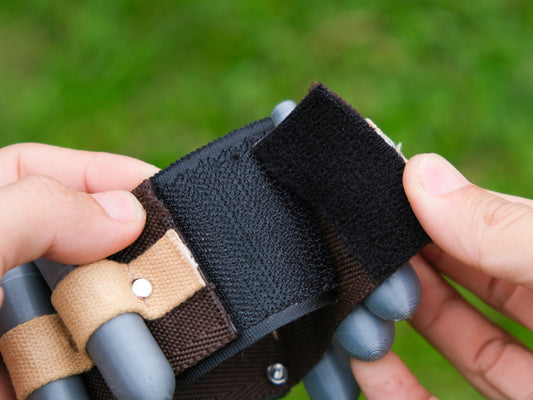
Set the prop on a support that carries its main body without loading a small projection or moving part. Check that it remains stable before you begin recording. A wearable item may need a different support than a flat object, and its strap may not be intended to suspend it.
Use a background that separates from the object's color. Dark shapes disappear against a dark backdrop; bright red details can become difficult to judge against another saturated red. A neutral surface makes small edges easier to see.

Record eight positions and an underside view
Imagine a circle divided into eight equal positions. Record the front, then turn the supported prop a small amount at a time until you return to the starting point. Pause in each position. You can present the clips in sequence instead of making one continuous turn.
After the rotation, record the underside separately using a safe supported grip. If a part cannot be shown without dismantling the object, say so. A documentation video should not encourage you to take apart an unfamiliar mechanism simply to satisfy a shot list.
Keep the camera's comparison fair
Keep the camera distance and zoom consistent across the main views. Otherwise the object may appear to change size as it turns. If you need a close-up, make it a clearly separate shot rather than quietly switching scale in the middle of the rotation.
Check focus and brightness as you move between surfaces. A bright face and a dark underside may need different attention, but the edit should still represent both honestly. Avoid filters that smooth printed texture if texture is one of the things you are documenting.
Add a useful scale reference
Include a ruler beside the stationary object in a separate frame, with the measurement endpoints visible. A hand can communicate general size but varies from person to person. Label any measurement you provide as your measurement of that particular item.
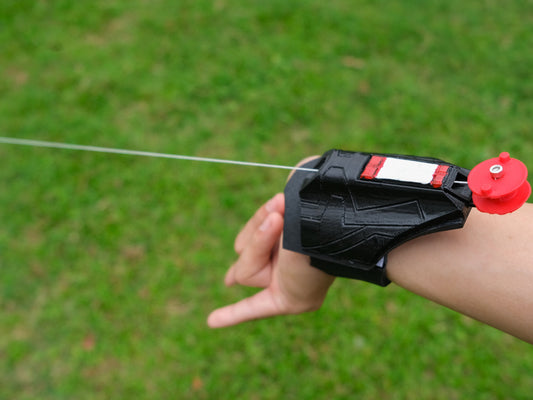
For a wrist prop, the shell's dimensions and the strap's fit are different questions. For an arc reactor, the face width and assembled depth are different dimensions. Name the dimension rather than placing a number beside the object with no explanation.
Publish the record with a precise caption
Tell viewers which item and version they are seeing, whether the support is included, and whether the clip shows a sample or your own purchased piece. If the video contains edits, that is fine; make sure they do not conceal a relevant change.
The layer-line guide helps explain surface details visible in close views. Browse the web shooter collection for design references, or use the same recording method to catalog an existing prop before your next event.