What Layer Lines Tell You About a 3D-Printed Cosplay Prop
Close-up photographs of a 3D-printed cosplay prop often show fine lines across the surface. Those lines can be part of the printing process rather than damage. The useful question is not whether the object looks perfectly smooth at every magnification, but what the photographs actually let you assess.
Separate surface appearance, assembly, and structural condition. A photo can reveal texture or a visible gap. It usually cannot establish the strength of the whole object or prove how it will behave in use.
Understand the basic layer pattern
Filament-based 3D printing builds an object through successive layers. Prusa's layer documentation explains layer height as part of that process. Curves and angled surfaces can make the stepped pattern more noticeable than a flat face.
This does not mean every line in every photo has the same cause. A regular texture across a printed surface, a join between separate components, and a crack are different observations. Look at the overall pattern before deciding which question to ask.
Compare ordinary viewing distance with close-up detail
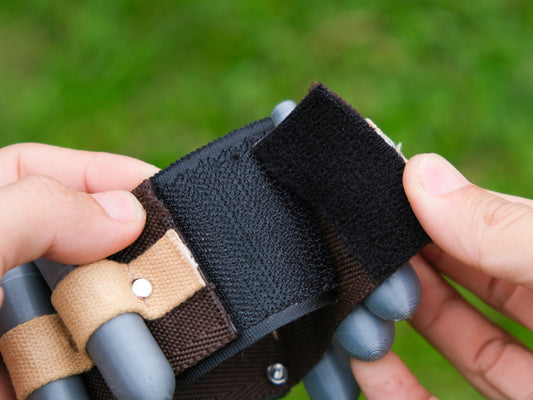
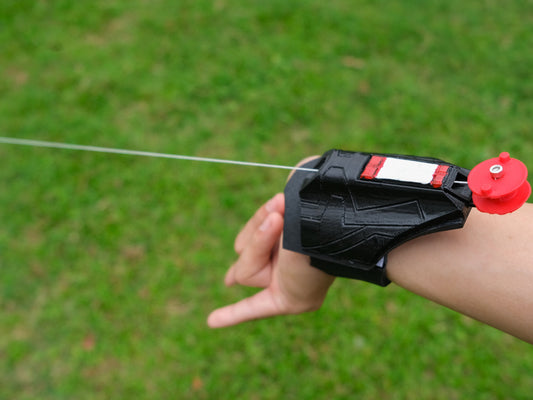
A macro image is useful for understanding finish, but it can make texture appear more prominent than it does when the prop is worn. Ask for both a close view and a normal-distance image. They answer different questions and should not be treated as substitutes.
Lighting matters too. Light coming from the side can emphasize small ridges. A front-lit photo may make them less visible. Neither image alone necessarily misrepresents the object; a set of views gives you better context.

Distinguish three things you may see
- Repeated surface texture: a consistent pattern that follows the printed form.
- An assembly seam: a boundary where separate parts meet.
- A possible damage concern: an unexpected split, separation, or irregular break that needs clarification.
Do not diagnose the third category from a tiny compressed thumbnail. Request a clearer image and describe the exact area. “Could you show the junction beside the red panel?” is more useful than “Is the quality good?”
Ask about the supplied finish
Find out whether the selected option is a raw print, a prepared surface, or a painted finished piece. Those formats can have different expected appearances. A listing should be read together with its selected option and included-work description.
If a very smooth finish is essential for your project, say so before ordering and ask what photographs represent the supplied version. Do not assume a close-up hero image, a digital render, and an unfinished option all describe the same surface.
Keep appearance judgments separate from performance claims
A smooth surface does not prove an object is strong, and visible layers do not by themselves prove it is defective. Material, design, manufacturing, and intended use all matter. Avoid squeezing, bending, or stressing a prop just to see whether a cosmetic concern is “real.”
If you already own the item and notice a new split or a moving component that seems wrong, stop using it and ask for model-specific guidance. Photograph the area without forcing it apart. This article is an inspection guide, not a repair procedure.
Use the finish that suits the project
A tabletop close-up film may put more attention on texture than a casual costume event. A collector may enjoy visible making marks, while another buyer may prefer a highly finished surface. Define your own goal and compare the evidence against that goal.
Review close views in the web shooter listings, and use the purchase-format guide to understand the work included. For handling an item after purchase, the separate prop care guide covers storage and routine care.