Build a Comic-Book Photo Corner with Paper and Cardboard
A comic-book photo corner can be built from a few large shapes: a skyline, a panel border, and one original caption. It gives a superhero-inspired outfit a setting without requiring a full room makeover. The strongest backdrop leaves room for the person and their props to remain the main subjects.
Start with the part the camera will actually see. A backdrop for a waist-up portrait needs a different layout from one for a full costume. Measure the available wall and floor space before collecting materials.
Choose one visual language
Decide whether the corner represents a city rooftop, a workshop, or a bold comic panel. Use broad shapes that suggest that setting. A skyline might need only a few uneven building silhouettes; a workshop might use labeled paper panels and a simple drawn grid.
Create your own signs and illustrations instead of copying a page from a published comic. Original labels such as “Equipment check” or “Next mission” give the scene personality while leaving the character open to interpretation.
Use three layers of depth
Think of the backdrop as a distant layer, a middle layer, and the performer. Keep the distant shapes simple and lower in contrast. Put one stronger panel or sign in the middle. Leave the space around the person's face and main accessory uncluttered.
You can make these layers from paper and lightweight cardboard attached to suitable supports. Check the surface before using removable mounting products, and avoid placing anything where it could fall onto the person or a prop. Keep the walking area clear.

Build the composition through the camera
Place the camera where it will be used and look at the actual frame. A skyline that seems balanced in the room may line up awkwardly with someone's head. Move the shapes while looking through the lens rather than arranging everything first and hoping the camera agrees.
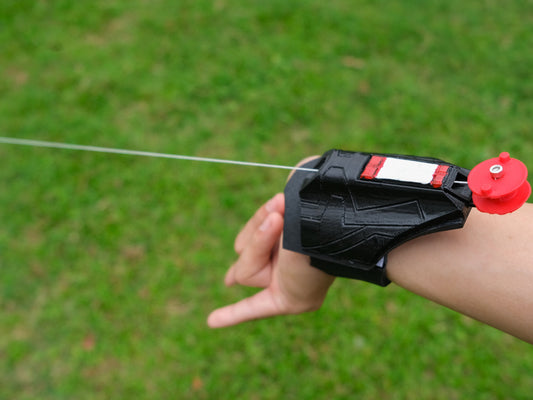
Leave a quieter area behind a detailed wrist prop or a chest-light focal point. If the background contains many tiny lines, the accessory can disappear into them. Large graphic shapes usually read more clearly in a small phone image.
Make the text optional
A speech bubble or caption board can be fun, but it should not be necessary to understand every photograph. Create one version of the scene with the sign and one without it. Guests can choose whether the words fit their character.
Use a short phrase in large lettering. Test it in the finished photo at ordinary screen size. If you need to zoom in to read it, simplify the wording or increase the lettering rather than adding more decoration.
Plan where hands and props belong
Mark a comfortable standing area and leave enough space for ordinary arm movement. Keep web shooter props inactive and any loose line out of the walking path. The backdrop should suggest a comic-book moment through composition, not require a physical action sequence.
For chest-light accessories, take a test image with the backdrop in place. A very bright sign or reflective background may compete with the light pattern. Adjust the set before asking the performer to change their outfit.
Make the corner easy to reset
Keep loose signs on a nearby surface and photograph the finished arrangement. If someone moves a panel during the session, you can restore it quickly. A reset photo also helps you reuse the corner for another character with a different palette.
After the session, preserve the flat pieces for future use rather than treating the backdrop as a single-night installation. Changing a label and one accent color can give the same structure a new story.
Use the beginner pose guide once the corner is ready. A design from the web shooter collection can provide the foreground detail; the background's job is to make that detail easier to notice.