Design a Superhero Streaming Background with Two Props
A superhero-themed streaming background should say something about your interests without competing with your face, gameplay, or conversation. Two well-placed props can establish that identity more clearly than a wall filled with small details the camera cannot resolve.
Design the background through the actual camera and crop you use. A room that looks balanced in person can become cluttered when reduced to a small face-cam window.
Start with your on-screen silhouette
Sit in the usual position and record a short sample. Notice the space around your head and shoulders. Keep the most detailed background objects away from the edges of your face, where they can appear to grow out of your hair or merge with your outline.
Choose one side for the main prop and the other for a quieter supporting detail. You do not need perfect symmetry. An intentional empty area can make the rest of the frame easier to understand.
Give each prop a different role
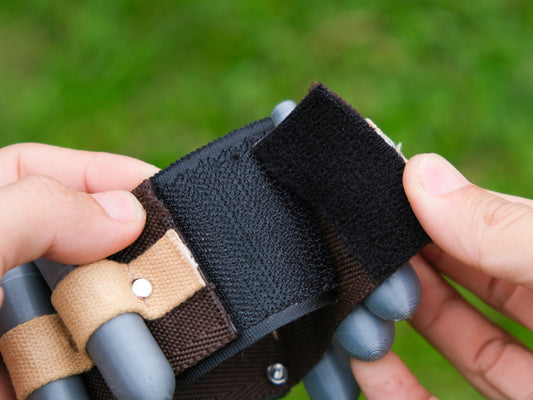
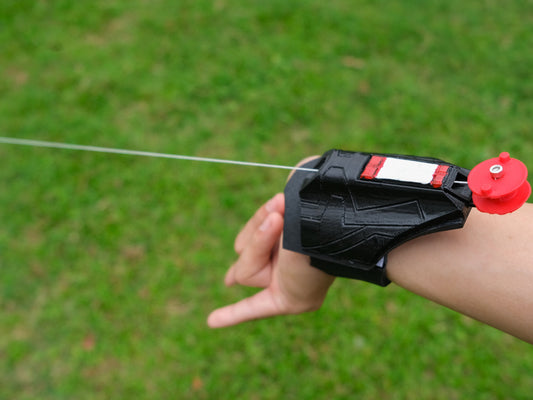
Use one object for shape and one for a small accent. A web shooter silhouette can provide a mechanical shape on a shelf. An arc reactor can provide a recognizable circular or triangular pattern. If both demand maximum attention, reduce one object's brightness, size in frame, or surrounding clutter.
Support each piece appropriately and keep it away from the shelf edge. A wearable object may need a separate suitable stand; do not assume its attachment strap is a display mount.

Make your face the clearest part of the image
Check whether the camera changes brightness when a background light is switched on. A bright prop can cause an automatic camera setting to make the person darker. Adjust the room and camera setup so your face remains readable before fine-tuning the decoration.
A cosplay LED accessory is an accent, not a substitute for your normal lighting. Follow its intended operating instructions and avoid planning around an unverified continuous runtime. An unlit prop with a clear silhouette can still work well on camera.
Test the smallest version of the frame
Look at the recording at the size viewers will actually see during gameplay or a shared screen. If the object becomes an indistinct bright spot, move it or simplify what surrounds it. More detail is not always more recognizable.
Try a plain card behind a dark prop or a little more distance between neighboring objects. Check that labels and graphics do not appear as distracting unreadable text. A small face-cam window rarely benefits from a paragraph on a shelf sign.
Keep private room information out of the scene
Before recording, inspect the full frame for shipping labels, documents, reflections, and screens. Recheck after changing the camera angle. A carefully designed background can still reveal something unintended in a mirror or glossy surface.
If another person shares the room, agree on how the camera is used and where it points. The visual setup should be comfortable for the people who live there, not only attractive to viewers.
Save a repeatable scene reference
Photograph the camera position and the shelf arrangement. Record which lights are on and where the chair belongs. This makes it easier to restore the same look after using the props for a costume event.
You can also create a second, quieter version for calls or streams where the themed background would be distracting. Keep the same furniture and simply remove one accent object or leave the prop light off.
Explore web shooter shapes and the 5in1 arc reactor as possible visual references. If the main goal is enjoying the object from your chair rather than showing it on camera, use the separate arc reactor desk display guide.